


News and Articles
Canva Business and Enterprise: Improving the Way Organizations Work in the Age of AI
27 October 2026
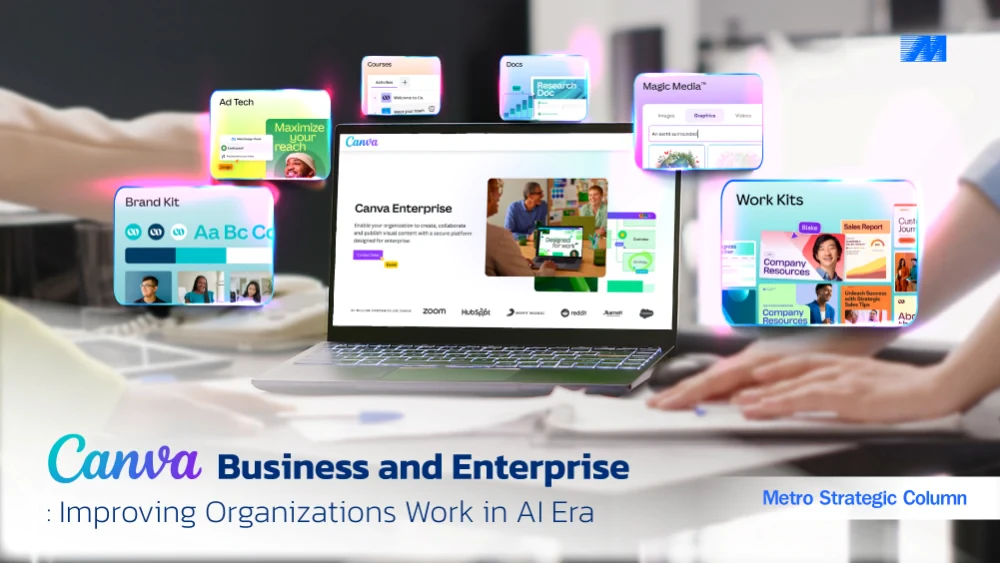
As AI makes content creation easier for every department, how can organizations manage teamwork, maintain brand standards, and keep their data secure?
Creating content is no longer just a job for marketing or design teams. Sales teams put together presentations for customers. HR creates materials for employees, while Corporate Communications shares company news. Different business units also prepare their own documents and presentations.
AI has made these everyday tasks easier. Employees can start with a template, use AI to help write content or create images, and adjust materials for different channels without having professional design skills.
But giving more people the ability to create content brings its own challenges. One department may use an old company logo, while another produces materials that do not follow brand guidelines. Files are stored in different places, and getting a piece of content ready to use can involve several rounds of changes.
For business leaders, the question goes beyond how AI can help employees create content. It is how to make work faster without losing quality, brand consistency, or control.
Canva Business and Canva Enterprise address these needs in different ways, offering collaboration and management features suited to different types of organizations.
What Is the Difference Between Canva Business and Canva Enterprise?
Both Canva Business and Canva Enterprise help employees create presentations, graphics, videos, and content for digital channels. They also include AI tools to make creating and editing content easier.
What sets them apart is not simply the design tools. It is the level of management and control a business needs.
Canva Business: For Teams That Want to Work Faster and Stay Consistent
Canva Business is a practical option for organizations that want Marketing, Sales, HR, and other teams to create content without asking designers to handle every task.
Employees can use templates and AI tools to prepare presentations, communication materials, and content for different channels. Brand Kits help keep their work consistent with company guidelines.
Sales might adapt a presentation for a particular customer, while HR uses an approved template to prepare recruitment materials. Neither team has to start from scratch each time.
For businesses focused on flexibility, teamwork, and efficient content creation, Canva Business provides a straightforward way to support everyday work.
Canva Enterprise: For Organizations Managing Multiple Teams Under One System
As the number of departments, branches, and users grows, managing content becomes more complicated. Creating materials quickly is still important, but so is keeping standards consistent, controlling access, and following company policies.
Canva Enterprise builds on the content creation and collaboration tools with additional management features, including Single Sign-On (SSO), SCIM Provisioning, user permissions, and brand controls.
An organization with several business units, for example, can make shared brand templates available to its teams while allowing IT to manage accounts and access through existing company systems.
This reduces the work involved in managing users and helps departments follow the same standards.
Canva Enterprise is intended for organizations that want to use Canva across more teams while giving greater attention to security, governance, and long-term management.
Before choosing a plan, organizations should look closely at what their teams actually need. The right investment should support how people work today and how the business may grow in the future.
4 Content Creation Challenges and How Canva Can Help
1. Brand Consistency: Keeping Every Team on Brand
Picture a company where Sales uses one presentation style, HR works with different colors and fonts, and some branches still have an outdated logo.
Each team may be doing its best, but without shared standards, the company's materials can look inconsistent. Marketing may then have to spend time fixing designs that could have been right from the start.
Canva gives organizations a central place to keep logos, colors, fonts, and approved templates, making it easier for employees to use the right materials.
With Canva Business, teams can share Brand Kits and templates to help maintain a consistent look.
Canva Enterprise adds more ways to manage brand standards across departments. Organizations can control changes to certain design elements and manage approval steps based on their policies.
A Corporate Marketing team, for instance, could prepare templates for company presentations, sales proposals, and internal announcements. Other departments would only need to update the content while keeping the approved design.
This means fewer repeated corrections and more time for design teams to focus on work that needs their creativity and expertise.
2. Team Collaboration: Making It Easier for Departments to Work Together
A single presentation or communication piece may pass through several hands. One person prepares the content, a designer works on the layout, colleagues check the details, and a manager gives final approval.
When all of this happens through email, chat, and multiple file attachments, it is easy to lose track of the latest version. People spend time checking changes, searching for files, or waiting for feedback.
Canva Business and Canva Enterprise both allow employees to work on the same design, share it with colleagues, and leave comments directly on the work.
Sales, for example, can prepare the content for a presentation while Marketing reviews the design. Others can add feedback to the same file, rather than passing different versions around.
For organizations with more complex approval processes, Canva Enterprise provides additional options for managing permissions and approvals across teams.
Of course, a shared platform is only part of the answer. Teams still need clear responsibilities, review steps, and rules for storing their work.
3. AI-Powered Content Creation: Working Faster While Keeping Quality in Check
AI is changing the way employees create content. Instead of starting from a blank page every time, they can use AI to help draft text, generate images, prepare presentations, and adapt materials for different purposes.
Marketing can use it to put together a first draft for a campaign. Sales can prepare a presentation outline, and HR can update internal communication materials more quickly.
Both Canva Business and Canva Enterprise provide AI tools for content creation and editing. The features available and their usage limits may vary by plan.
When AI is used across many departments, Canva Enterprise also offers management options that help IT teams control access to certain AI features in line with company policies.
Even so, AI is there to help employees, not to take responsibility for the content on the organization's behalf.
Before anything is published or shared, someone still needs to check the facts, review the content, consider copyright requirements, and make sure the materials follow brand guidelines.
This matters even more for public communications or content involving customer information.
This is especially important for public communications and materials that contain customer information.
4. Security & Governance: Choosing the Right Level of Control
As more employees use content creation tools, managing user access and protecting data become increasingly important.
For teams with simpler needs, Canva Business includes features for managing members and working together without requiring a complex management system.
Organizations with several business units, or those with stricter IT and compliance requirements, may need the additional features available in Canva Enterprise:
- Single Sign-On (SSO): Lets employees sign in using the organization's existing identity system.
- SCIM Provisioning: Helps IT teams add and remove accounts through supported identity management systems.
- Role-Based Permissions: Allows access to be assigned according to each person's role and responsibilities.
- Audit Logs: Help administrators review relevant activities within the platform.
- Administrative Controls: Allow organizations to set rules for certain features, sharing options, and user access.
Consider an employee who moves to another department or leaves the company. With the right identity management setup, the organization can update or remove that person's access as part of its normal procedures.
This helps reduce the need to manage accounts separately in different systems.
Whatever plan an organization chooses, it should also have clear policies for handling data, using AI, and protecting personal information.
What Business Leaders Should Consider
- AI can speed up content creation, but employees must still check the accuracy and quality of materials before publishing.
- Every team needs access to the same brand standards to avoid inconsistent designs and unnecessary revisions.
- Management and control should match the organization's needs. Canva Business may suit teams that value flexibility, while Canva Enterprise is worth considering when IT and governance requirements become more complex.
- The real value comes from better results, including time saved, improved work quality, and smoother collaboration, not simply the number of licenses purchased.
Metro Systems Corporation (MSC) is a Canva Authorized Reseller in Thailand, offering consultation to help organizations choose the Canva solution that fits their needs.
MSC can advise on content creation, collaboration, and management requirements, as well as license procurement and support for using Canva.
Interested in Canva Business or Canva Enterprise? Contact the us for advice on choosing the right solution for your organization.